


Decor Life - Home Design Game
4.59.96K Reviews
App Specs
- Version
- 1.0.49
- Updated On
- License
- Free
- Downloads
- 100,000,000+
- Developer
- SayGames Ltd
- Categories
- Simulation
- Platform
- Android, iOS
Screenshots



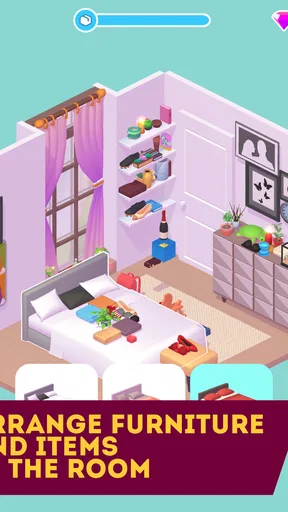
 Analysis by AppCompare
When I open Decor Life, I’m not looking for a precise blueprint tool or a serious renovation simulator. I want a low-pressure way to try out room ideas, move furniture around, and see how different choices change a space. That distinction matters: this is a casual home-design simulation game, not a substitute for planning an actual remodel. Its appeal is the freedom to make visual decisions without measuring a real room or committing to a purchase.
Choosing a look, one room at a time
The most enjoyable part for me is deciding what kind of room I want to create from the options in front of me. A furnishing choice can set the tone for everything that follows: a bold piece may call for simpler surroundings, while a quieter starting point leaves more room to experiment. I treat each space as a small design puzzle rather than trying to make every room follow one grand theme. That keeps the process playful and makes it easier to change direction when an arrangement feels off.
For a useful little workflow, I first place the larger pieces and check whether the room feels balanced. Only then do I spend time on the smaller decorative touches. It is a simple way to avoid getting attached to details before the overall arrangement works. If I am undecided between two looks, I try one, take a moment to assess the whole room, and then compare it with the alternative instead of making several changes at once. That makes the visual effect of each choice easier to judge.
This kind of step-by-step decorating suits short breaks well. I can focus on a single space, make a few decisions, and stop when I have had enough. It also works as a relaxed evening activity when I want something more hands-on than browsing pictures but less demanding than a game built around fast reactions, competition, or complex management.
Where the choices feel rewarding
Because the fun comes from arranging a room, the reward is largely visual: I get to see a space take shape through my choices. That is a satisfying loop when I am in the mood to explore styles, but it is also worth setting expectations. Players who need a detailed story, a realistic renovation process, or a deep economic simulation may find the decorating itself is not enough to hold their attention. Decor Life is strongest when I judge it as a creative pastime, not as a comprehensive interior-design suite.
I also find it helpful to distinguish between inspiration and a practical plan. A layout that looks appealing in a game can give me ideas about colors or the mood I want at home, but it cannot tell me whether real furniture will fit, how much a project will cost, or whether a material is suitable for a particular room. I would use it to explore a direction before shopping, not to make measurements or treat a virtual arrangement as a renovation specification.
That trade-off is part of the game’s easygoing appeal: there is little pressure to get a design “right” in the real-world sense. I can take a visual risk that I would hesitate to try in my own living room, then decide whether the result feels inviting or overdone. For anyone who enjoys that kind of safe experimentation, the lack of real-world consequences is a feature rather than a shortcoming.
Worth Reading Before You Choose

Baby Panda World Brings Quick Play to Modern Phones, but Its Game Library Feels Busy

ESPN’s Live Game View Makes Following Close Games Easier

QuizzLand Review: A Good Fit for Short Trivia Breaks, Not Every Player

Basketball Stars: Multiplayer Is Fast, but Can It Recover When Matches Go Wrong?

WEBTOON Turns Phone Updates Into a Better Reading Routine

Link to Windows Runs on Shared Habits, Not Social Feeds
Adapting when an idea does not work
My best advice is to change one part of a room at a time when a design feels wrong. If I swap several items together, it becomes harder to tell which choice improved the space and which one made it feel less coherent. A gradual approach also helps me notice whether the problem is the main arrangement or simply the way the smaller details sit around it. Even in a casual game, that little bit of restraint makes experimentation more satisfying.
Another useful habit is to decide what I want a room to feel like before I get absorbed in individual objects. “Calm,” “bright,” or “cozy” is enough of a direction; it does not need to be a strict style rule. I can then use that intention as a filter when comparing options. If a tempting piece pulls the room away from the mood I chose, I can leave it out rather than decorating just because it is available.
There is a patience trade-off, too. The original review notes that loading can occasionally feel slow and touch controls can sometimes be finicky. When placement does not respond the way I expect, I find it better to pause and try the adjustment again than to rapidly tap around and lose track of the intended layout. Those moments can interrupt a creative flow, so this is not my first pick when I want a perfectly seamless session or a game that rewards speed.
How it fits beside other design games
Compared with more involved simulation games, Decor Life asks less of me in terms of planning and systems. I do not come to it for a demanding management challenge; I come to make visual choices and enjoy the room-building process. Compared with simply scrolling through interior photos, it gives me a more active role: I can try arrangements rather than only look at finished spaces. That middle ground is useful for someone who wants a creative task without taking on a complicated design tool.
It is not the right alternative for every goal. If I were preparing a real renovation, I would choose a dedicated planning app that supports practical dimensions and project details. If I wanted a simulation with a strong narrative or intricate resource decisions, I would look elsewhere in the genre. But for someone who wants a casual decorating game to dip into, its direct focus is a strength: the central activity is easy to understand, and I can concentrate on the look of a room instead of learning a large set of systems.
A realistic use case is a quiet wait between errands. I can open the game, make a few furnishing decisions, and leave the more detailed experimenting for later. Another is using a room as a mood-board prompt: I might notice that I prefer a lighter, less crowded arrangement and carry that general idea into how I think about my own space. The game can spark a preference, even though it cannot validate a real-life layout.
Who will enjoy the pace—and who may not
I would recommend it to people who like visual creativity, enjoy rearranging interiors, or want a gentle game that does not demand a long, uninterrupted session. It may also suit someone who is curious about decorating but does not want the pressure of making “correct” design choices. The simple premise makes it approachable, and the appeal is in trying ideas rather than mastering a technical skill.
I would steer away from it if you need exact control over a real floor plan, want every choice to have a practical consequence, or become frustrated when touch placement takes a second try. It may also feel too light for players who need a substantial competitive or story-driven hook. Knowing that before installing helps: this is an option for relaxing and playing with a room’s appearance, not a tool for solving a real household project.
It is free to download, with optional in-app purchases ranging from $0.99 to $99.99 per item. I would approach those purchases as optional extras rather than assuming they are necessary to enjoy the basic decorating idea. If you are sensitive to spending inside games, it is sensible to check the purchase prompts carefully and decide your own limit before playing. That simple boundary keeps a casual creative game from turning into an unplanned expense.
SayGames Ltd develops the game, which is rated for Everyone and requires Android 8.0 or later. It was released on February 21, 2022, and version 1.0.49 is the current version. Those details make it easier to check whether it suits your device and household before installing, especially if you are choosing a game for a younger player. Its broad age rating fits the gentle decorating premise, though individual families can still decide what works best for them.
Design Your Dream
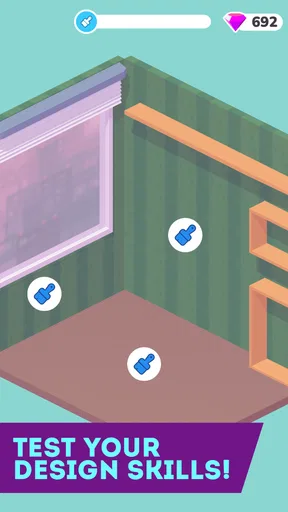
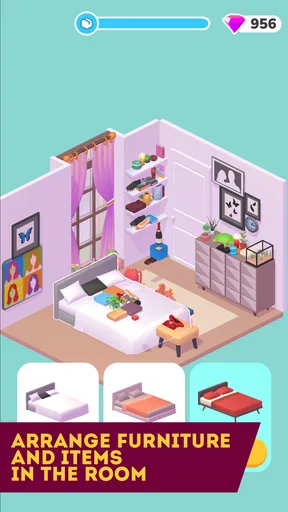
From the moment you launch Decor Life, you’re greeted with a palette of possibilities. The app offers a variety of spaces to furnish and decorate, each with its unique challenges and themes. Whether you’re into modern minimalism or vintage charm, there’s a room waiting for your personal touch. The interface is user-friendly, which means you can dive right in without fumbling around. Just tap, drag, and drop. It’s that simple!
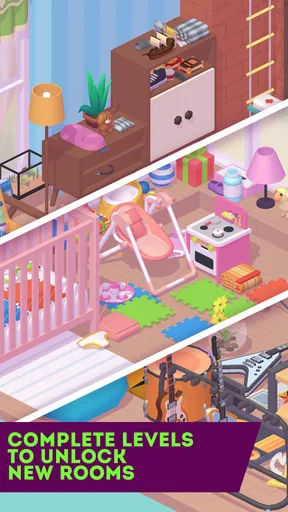
The graphics are vibrant and detailed, making every piece of furniture and decor pop with personality. I found myself spending hours tweaking the color palettes and furniture arrangements, completely losing track of time. The app even allows you to unlock new items and styles as you progress, keeping things fresh and exciting. It’s like unlocking new levels in a game, but instead of defeating enemies, you’re creating beauty.
A Personal Touch
One of the standout features of this app is its ability to let you customize nearly every aspect of your designs. Want that couch in a different fabric? No problem. Prefer wood flooring over carpet? Go for it! Decor Life empowers you to experiment and express your style in a way that’s both fun and fulfilling.
Each project you complete earns you points and coins, which you can use to expand your design inventory. This adds a layer of strategy to the game, as you have to decide what items will best suit your current project while also saving for future designs. It’s a delicate balance that keeps you coming back for more.
Community and Sharing
But the fun doesn’t stop at decorating. Decor Life has a vibrant community feature where you can share your designs and get inspired by others. I found myself scrolling through other user creations, gathering ideas and sometimes just marveling at the creativity on display. You can even rate and comment on designs, which adds a nice social element to the experience.
Feeling proud of your latest living room masterpiece? Share it with the world! The app makes it easy to showcase your designs on social media platforms, so your friends can see just how talented you are. Who knows, you might even become the next big thing in the virtual design world.
A Few Thoughts
While Decor Life has a lot going for it, it’s not without its quirks. Sometimes the loading times can be a little sluggish, especially when you’re eager to jump into a new project. And occasionally, the touch controls can be a bit finicky, but these are minor setbacks in an otherwise delightful experience.
Overall, if you’re looking for a relaxing yet engaging way to unleash your inner designer, Decor Life - Home Design Game is definitely worth checking out. It’s a charming escape from the real world, where your creativity can thrive without limits.
Ready to start designing? Head over to your app store, download Decor Life, and let the decorating adventures begin! Remember, in this game, your only limit is your imagination.
Pros
- Intuitive and user-friendly interface.
- Wide variety of furniture and decor options.
- Regular updates with new design challenges.
- Engaging and relaxing gameplay experience.
- Offline mode available for on-the-go play.
Cons
- Limited energy can slow down progress.
- In-app purchases can be costly.
- Some designs require long wait times.
- Occasional ads can disrupt gameplay.
- Limited customization for certain items.
FAQs for Decor Life - Home Design Game
What is the main objective of Decor Life - Home Design Game?
Decor Life - Home Design Game allows players to unleash their creativity by designing and decorating various spaces. The main objective is to complete design challenges, renovate rooms, and personalize interiors using a wide range of furniture and décor items. This game is perfect for those who enjoy expressing their artistic flair in virtual environments.
Do I need an internet connection to play Decor Life?
While Decor Life - Home Design Game offers offline play for basic design activities, an internet connection is recommended for accessing all features. Online connectivity allows players to participate in events, update the game with new content, and share their designs with a community of other players.
Are there in-app purchases in Decor Life - Home Design Game?
Yes, Decor Life includes in-app purchases that can enhance your gameplay experience. Players can buy premium items, unlock additional design challenges, or purchase in-game currency to speed up progress. However, these purchases are optional, and players can enjoy the core game without spending real money.
How does the game handle user data and privacy?
Decor Life - Home Design Game is committed to protecting user privacy. The game collects minimal data necessary for gameplay and offers clear privacy policies detailing data usage. Players can review these policies within the app to understand how their information is managed and ensure their data preferences are respected.
Can I play Decor Life - Home Design Game on multiple devices?
Yes, Decor Life supports cross-device play. By linking your game progress to an account, you can seamlessly continue your design projects on different devices. This feature ensures that your creative endeavors are never interrupted, whether you're using a smartphone or tablet.


